VeePN - Secure VPN & Antivirus
- 4.3
- Rating
- 5.00M
- Installs
- Free
- Price

 Analysis by App-foxy
Before choosing a VPN, I ask myself what I actually need it to do: add privacy on shared Wi-Fi, offer more control over network connections, or serve as part of a broader security setup. Those goals point to different tools. I see VeePN - Secure VPN & Antivirus as an approachable option for the first one, not a single app that can solve every security concern.
That distinction matters if you are comparing VPNs with antivirus suites or specialist networking apps. A VPN changes how your internet connection is routed; a dedicated security product may focus on detecting threats on the device. I would pick according to the task I face most often, rather than assuming the word “Antivirus” in an app’s name makes those categories interchangeable.
For a first test, I would install VeePN on the phone I use on the go, connect on a familiar network, and try a nearby server before relying on it at a café or airport. That gives me a feel for the connection and the app’s workflow without making an unfamiliar public network the first place I troubleshoot.
You May Also Like

 Blood Strike: 2.5 Anniversary
Blood Strike’s Loadouts Turn Every Drop Into a Tactical Gamble
A close look at Blood Strike’s custom loadouts: how fast access to signature weapons reshapes its battle royale rhythm, rewards preparation, and narrows the gap between fights.

 Pandora - Music & Podcasts
Pandora’s Music Is Easy to Start, but Harder to Recover
Pandora’s strength is its low-effort path from a seed to a station. Its weak spot is how much confidence it asks you to place in connection, setup, and quiet recovery.

 8 Ball Pool
 Is Built on Rivalries, Rematches, and Routine
A close look at the rivalries, rematches, shared routines, and unanswered safety questions that turn a quick pool match into a persistent mobile community.

 Samsung Music
’s Quiet Strength Is Playing What You Already Own
Its reach comes less from spectacle than from dependable access to a personal library. That simplicity is both the app’s strongest retention engine and its ceiling.

 AccuWeather: Weather Radar
AccuWeather Review: A Quick, Clear Forecast for Everyday Decisions
For everyday plans, the best forecast is the one you can understand quickly. AccuWeather makes rain timing, radar, and local conditions easy to act on, with a few trade-offs.

 Hill Climb Racing
Why Hill Climb Racing Still Turns Crashes Into One More Run
A tiny car, a bumpy hill and one more upgrade: Hill Climb Racing keeps resurfacing because its simple chaos makes every near-miss feel personal.
More From Our News Desk



A quick way to decide whether it fits
If your routine includes hotel Wi-Fi, campus networks, or occasional work from cafés, a simple VPN workflow may be more useful than a long list of advanced controls. If you need to inspect network settings closely, or your main concern is malware detection, I would compare specialist alternatives before settling on VeePN. Ease of use is a genuine benefit, but it is not the same thing as depth.
Think about the whole connection, not just the server
One practical detail is that the VPN cannot improve a poor underlying Wi-Fi signal. If a connection feels sluggish, I would first check whether the local network is weak, then try a nearby server. Switching to a faraway location just because it appears to offer a different route can add delay rather than solve the problem.
I found VeePN - Secure VPN & Antivirus most useful as a straightforward privacy tool for everyday connections rather than as a complete security replacement. It is a free Android app in the Tools category, developed by VeePN Corp., and its main job is to create a VPN connection when I want extra protection on public Wi-Fi, a more private browsing session, or a way to use the internet through a different server location. The app is available to Everyone, which matches its uncomplicated approach.
My overall view is positive, with an important qualification: VeePN is easy to approach, but the free starting point should not be confused with unlimited access to every part of the service. The app includes in-app purchases ranging from $2.99 to $199.99 per item, so I would treat the free installation as a chance to test the experience before deciding whether its paid options fit my needs.
How VeePN feels in everyday use
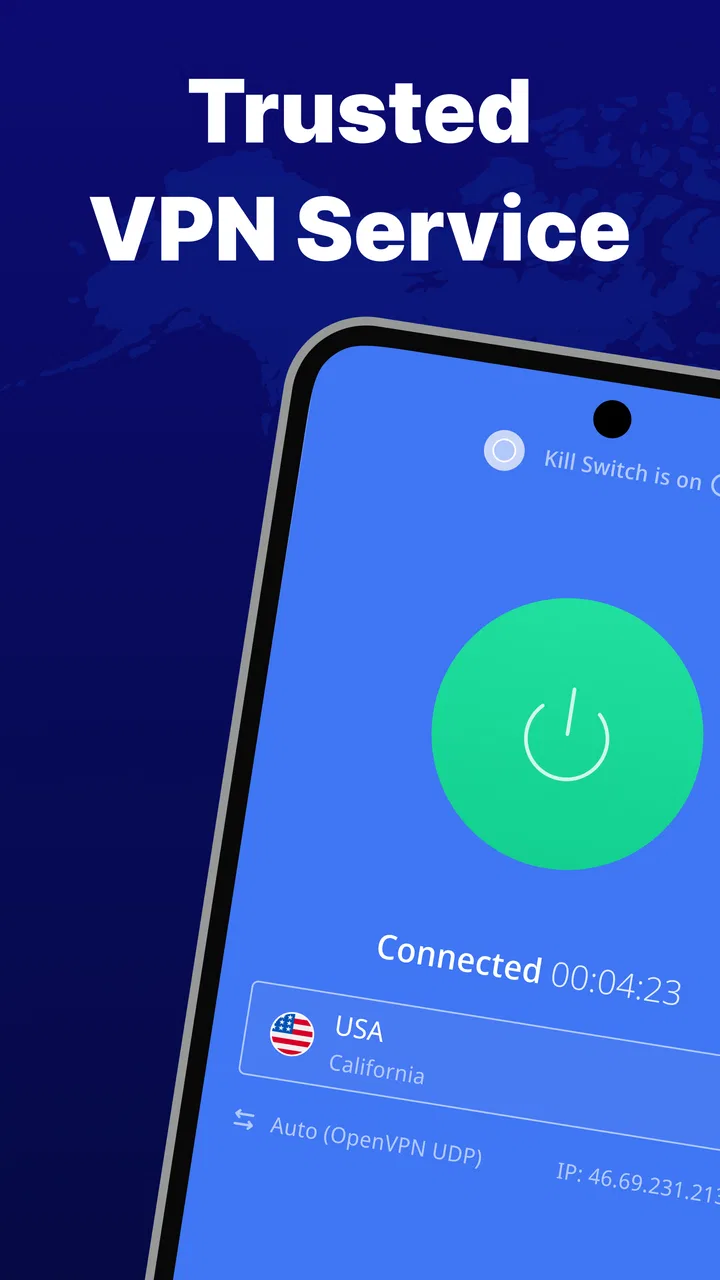
The first thing I noticed is that VeePN is built around reducing the number of decisions I have to make. A VPN can feel intimidating when it presents a long list of technical settings before allowing a connection. Here, the practical workflow is much simpler: open the app, choose a server when necessary, and connect before using a network I do not fully trust. That makes it suitable for someone who understands why a VPN matters but does not want to manage a complicated security setup.
Its store summary highlights more than 2500 secure proxy servers and unlimited internet speed. I would read that as an indication of broad server coverage and an emphasis on keeping browsing comfortable, not as a promise that every connection will perform identically. Speed depends on the selected location, the quality of the local network, distance to the server, and congestion at the time. In my experience, the sensible approach is to try a nearby location first and only switch farther away when a particular regional connection is needed.
A realistic use case is working from a café. I might connect my phone to the café Wi-Fi to check a work message, review a document, or make a purchase. Before doing that, I would open VeePN and establish the VPN connection. This does not make careless browsing safe, and it does not replace strong passwords or device updates, but it adds a useful privacy layer between the phone and the local network. When I leave the café, I can disconnect instead of keeping the VPN active unnecessarily.
Another practical situation is travel. Hotel and airport networks are convenient, but they are also shared environments where I prefer not to browse unprotected. VeePN is helpful here because the routine is easy to remember: connect before opening sensitive services, keep the session active while using them, and disconnect when I return to a trusted home network. That simple habit is more valuable than a large collection of features I would never use.
Where the app makes a strong case
The biggest strength is accessibility. VeePN does not require me to understand tunneling protocols, routing tables, or advanced network terminology before I can use it. For a first VPN, that matters. The app’s current version is 3.9.4, and the listed minimum operating system is 9, so it is aimed at a broad range of compatible devices rather than only the newest phones.
I also like the distinction between choosing a VPN for privacy and choosing one for convenience. VeePN can be useful when I want to reduce exposure on an unfamiliar network, but it is not a magical cloak. The websites I visit can still recognize my account, cookies can still identify me, and a VPN does not stop me from entering information into a fraudulent page. The best result comes from combining the app with two-factor authentication, careful browsing, and current system software.
The server selection deserves a thoughtful approach. A nearby server is usually the practical choice when I care about responsiveness, such as browsing, messaging, or watching ordinary online content. A more distant server may be useful for a specific regional connection, but it can introduce extra delay. Rather than changing locations repeatedly, I would start with the closest sensible option and change only when I have a clear reason.
A less obvious advantage is that a VPN can help separate network trust from account trust. If I use the same phone for banking, shopping, social media, and casual browsing, I do not need to treat every Wi-Fi network as equally safe. VeePN gives me a quick way to apply a more cautious connection when the environment changes. It does not secure every part of my digital life, but it makes a useful boundary between a trusted connection and a questionable one.
The app’s popularity also gives it a degree of practical reassurance for people who prefer established tools. It has more than 1M+ installs, an average rating of 4.2, and around 95K ratings. Those figures do not prove that it will work perfectly on every device, but they suggest that the app has been tried by a substantial audience. I would still judge it by how consistently it connects on my own phone and network.
The limitation I would take seriously
My main reservation is that the simple interface can make the service seem more comprehensive than it really is. The name includes “Antivirus,” but I would not install it as my only defense against malicious files, unsafe links, or deceptive apps. A VPN primarily protects the connection path; it is a different kind of protection from malware scanning or device security. Anyone looking for a full antivirus suite should compare VeePN with a product whose central purpose is dedicated threat detection.
The free label also needs a realistic interpretation. Installation costs nothing, but the presence of paid items means that some users may eventually meet upgrade prompts or locked options. The in-app purchase range extends from $2.99 to $199.99 per item, which is a wide span. Before paying, I would check exactly what the selected purchase provides, whether it is recurring or one-time, and whether it changes the server access or limits that matter to me. I would not subscribe simply because I was connected to a public network at that moment.
There is also a trade-off between speed and privacy. Adding a VPN route can affect latency, especially when the server is far away or the original network is already weak. For ordinary reading and messaging, that difference may be unimportant. For competitive online games, live video calls, or large uploads, even a small increase in delay can be frustrating. In those cases, I would test the connection rather than assume that a large server network guarantees the best result.
Users who want detailed control may find VeePN less satisfying than a more technical VPN client. If I needed to fine-tune network behavior, maintain a specialized configuration, or inspect every advanced option, I would look for a service designed around that level of control. VeePN’s appeal is the opposite: it keeps the important action close at hand and leaves much of the complexity behind the scenes.
One useful habit is to avoid leaving the VPN connected automatically without thinking about the context. When I am on a trusted home network, I may prefer the direct connection for lower latency. When I switch to public Wi-Fi, I would connect before opening sensitive apps. This selective workflow helps me balance protection and performance instead of treating the VPN as an all-or-nothing switch.
Who should use it, and who should choose something else
I would recommend VeePN to casual smartphone users who want a simple way to improve privacy on shared networks. It is a good fit for travelers, students, remote workers using cafés, and anyone who regularly connects to hotel or airport Wi-Fi. It also suits people who do not want to spend time learning technical VPN settings before getting a basic connection running.
It can be especially useful for a household member who repeatedly forgets to think about network security. A short routine—open the app, connect, perform the sensitive task, then disconnect—can be easier to maintain than a complicated security checklist. I would explain that the VPN protects the connection, while passwords, device updates, and cautious links protect other parts of the experience.
I would be more cautious about recommending it to someone whose priority is advanced antivirus protection. The VPN function and antivirus function should not be treated as interchangeable. If the main concern is detecting suspicious files, blocking harmful applications, or managing security across several devices, a dedicated security suite may be a better match.
I would also suggest comparing alternatives if price predictability is the deciding factor. Because VeePN is free to install but includes paid items, a user should inspect the purchase terms before committing. Someone who wants a clearly defined long-term plan may prefer a provider whose pricing and feature boundaries are easier to understand at first glance.
For streaming, I would avoid making a blanket promise. A VPN may change the apparent connection location, but services can apply their own access rules, and performance can vary by server. I would choose VeePN for general privacy first, not buy it solely on the assumption that it will unlock every regional catalog or deliver flawless high-resolution playback.
For gaming, the decision is equally specific. If I am playing a game where privacy on public Wi-Fi matters more than the lowest possible ping, VeePN can be worthwhile. If every millisecond affects the experience, I would compare direct play with the VPN enabled and use whichever connection is more stable. The right choice depends on the game, the network, and the server location, not just the app’s feature list.
My final recommendation
VeePN is a sensible entry point for people who want a less exposed connection without turning network privacy into a technical project. Its free installation, broad compatibility, simple workflow, and large server offering make it approachable. I particularly value it for public Wi-Fi, travel, and occasional privacy-conscious browsing.
At the same time, I would keep expectations grounded. It is not a substitute for antivirus software, careful account security, or a reliable device maintenance routine. Its paid items mean that the free starting point should be tested thoughtfully, and performance may not suit every game, call, or high-bandwidth task. Those are meaningful limitations rather than minor footnotes.
My recommendation is clear: use VeePN when you want convenient VPN protection for everyday connections, especially on networks you do not trust, but choose a more specialized security or advanced networking tool when you need deep control, dedicated malware defense, or guaranteed performance. For the right audience, it is practical and easy to keep in a daily routine; for everyone else, its simplicity may be exactly what makes it feel too limited.
The developer, VeePN Corp., has positioned the app as an approachable tool rather than an intimidating network utility. With an Everyone age rating and a free entry point, it is easy to try. I would install it, test nearby server connections on my own network, review the purchase screen carefully, and then decide whether its balance of convenience and protection matches my habits.
Make the first session a useful test
I would give the app a short, deliberate trial rather than judging it from a single connection. Try it on the usual home network, then again on a public connection when there is no urgent task waiting. Notice whether the nearby server feels responsive for ordinary browsing, and whether reconnecting after moving between Wi-Fi networks is straightforward. That practical check answers more than a server count can: it tells you whether the routine will fit your phone use.
Also decide in advance what would make you keep it. If the goal is simply to add a VPN layer for occasional shared Wi-Fi, a basic, reliable connection may be enough. If you expect detailed device protection, specialized controls, or consistently low delay for real-time use, compare tools built around those needs instead. That way, you can judge VeePN against your actual priorities rather than a vague promise of all-purpose security.
FAQs for VeePN - Secure VPN & Antivirus
01What platforms is VeePN compatible with?
VeePN is compatible with a variety of platforms, including Android, iOS, Windows, and macOS. This allows users to secure their internet connection across multiple devices. By offering wide compatibility, VeePN ensures that users can maintain privacy and security whether they are on their phone, tablet, or computer.
02How does VeePN ensure user privacy?
VeePN employs advanced encryption protocols to protect user data and ensure privacy. By using AES-256 encryption, VeePN safeguards your internet activity from potential threats and unauthorized access. Furthermore, VeePN operates a strict no-logs policy, meaning it does not record or store any user data, ensuring complete anonymity online.
03Does VeePN affect internet speed?
While VPNs can sometimes impact internet speed due to the encryption process, VeePN is designed to minimize such effects. It provides multiple high-speed servers across various locations, allowing users to choose the best server for optimal performance. This helps maintain a fast and stable internet connection while ensuring security.
04Is customer support available for VeePN users?
Yes, VeePN offers 24/7 customer support to assist users with any issues or inquiries. Users can contact support via email, live chat, or through the app itself. The support team is knowledgeable and responsive, ensuring that users have a seamless experience when using the service.
05Does VeePN offer a free trial or money-back guarantee?
VeePN offers a free trial period, allowing users to test the service before committing to a subscription. Additionally, it provides a 30-day money-back guarantee, giving users peace of mind and the opportunity to explore the app's features risk-free. This demonstrates VeePN's confidence in their service and commitment to customer satisfaction.
Pros
- Easy-to-use interface for quick setup.
- Supports unlimited devices with one account.
- Offers a wide range of server locations.
- Includes built-in ad blocker for browsing.
- Strong encryption ensures data safety.
Cons
- Inconsistent connection speeds at times.
- Limited free trial period availability.
- Some servers may be overcrowded.
- Occasional app crashes on certain devices.
- No dedicated support for older OS versions.

VeePN - Secure VPN & Antivirus
Gallery